Fuel POS Experience
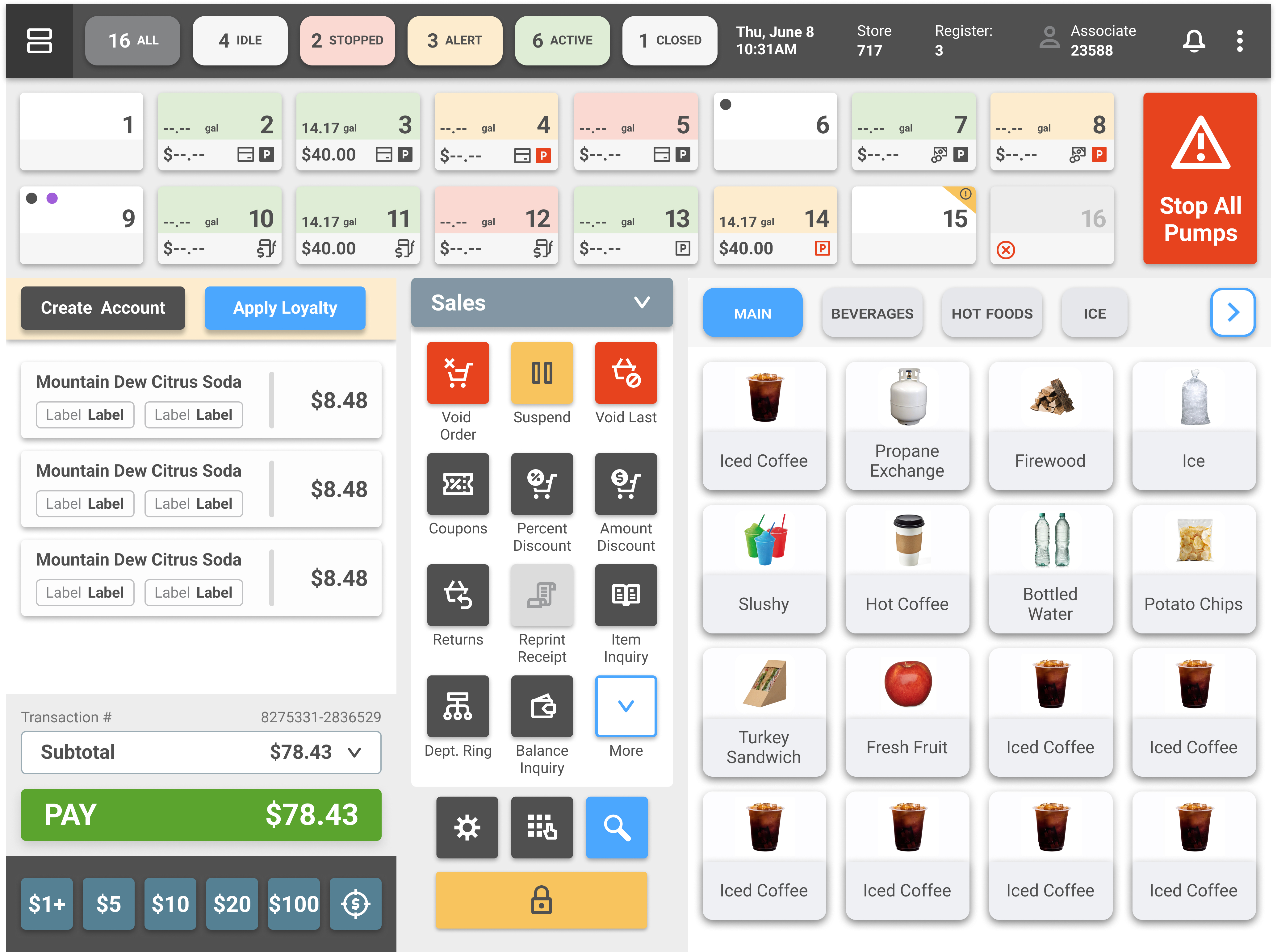
The Fuel POS system is the touchscreen that gas station cashiers use all day, every day. It handles pump monitoring, prepay transactions, in-store sales, loyalty programs, product catalogs. All of it, on one screen, hundreds of times per shift.
The problem was that the interface had been built up over years without much design direction. Layouts were dense, patterns were inconsistent, and even basic tasks like processing a prepay took way too many taps. I was brought on to redesign the core experience so it could actually keep up with the pace cashiers work at.
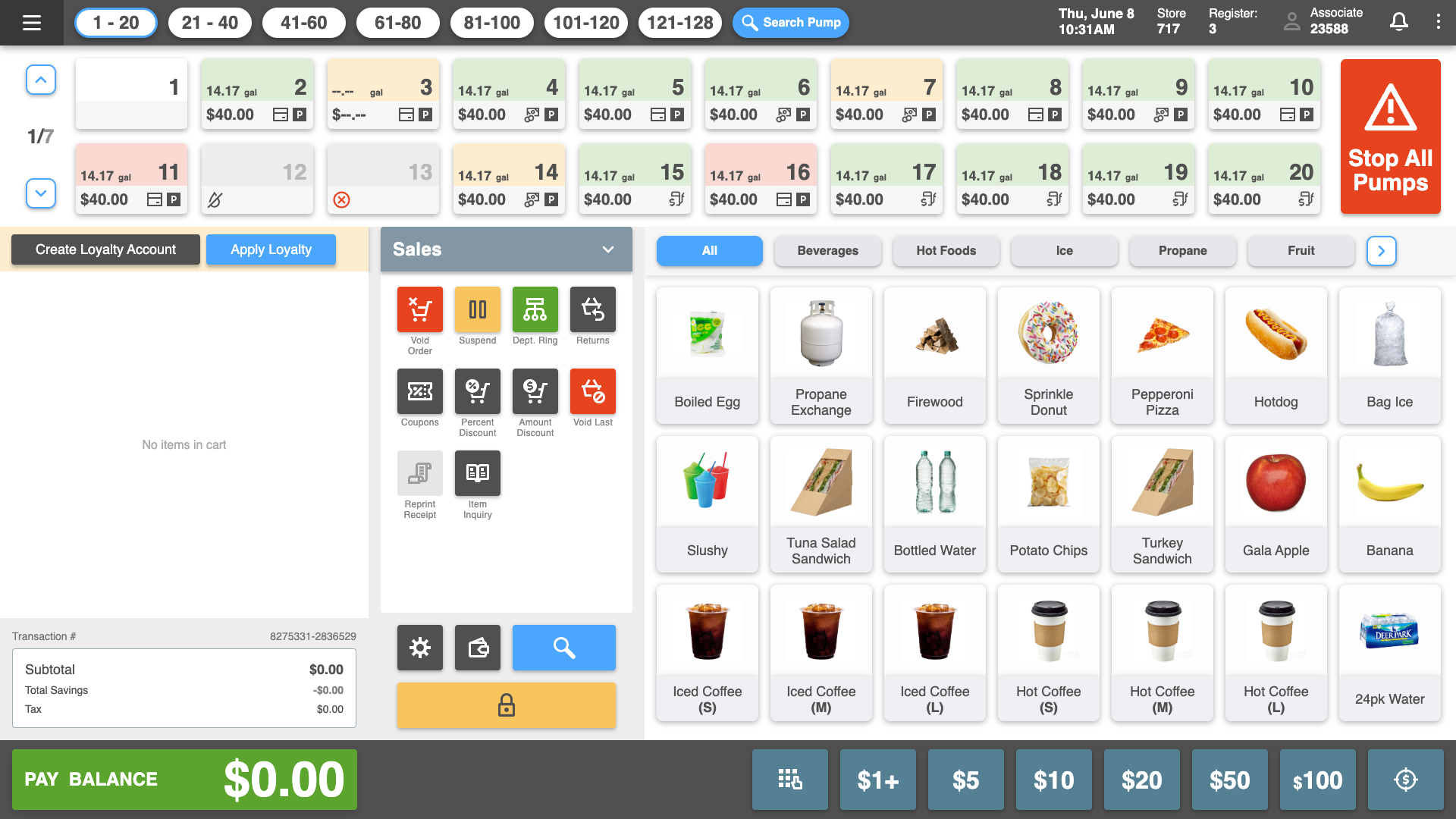
Think about what a gas station cashier is juggling at any given moment. They're watching fuel pumps, ringing up snacks and drinks, applying loyalty discounts, handling prepay transactions, and dealing with pump alerts. Sometimes all at once. The system needs to show the right thing at the right time without burying them in information.
Here's what we were working with:
Three things guided pretty much every decision I made on this project:
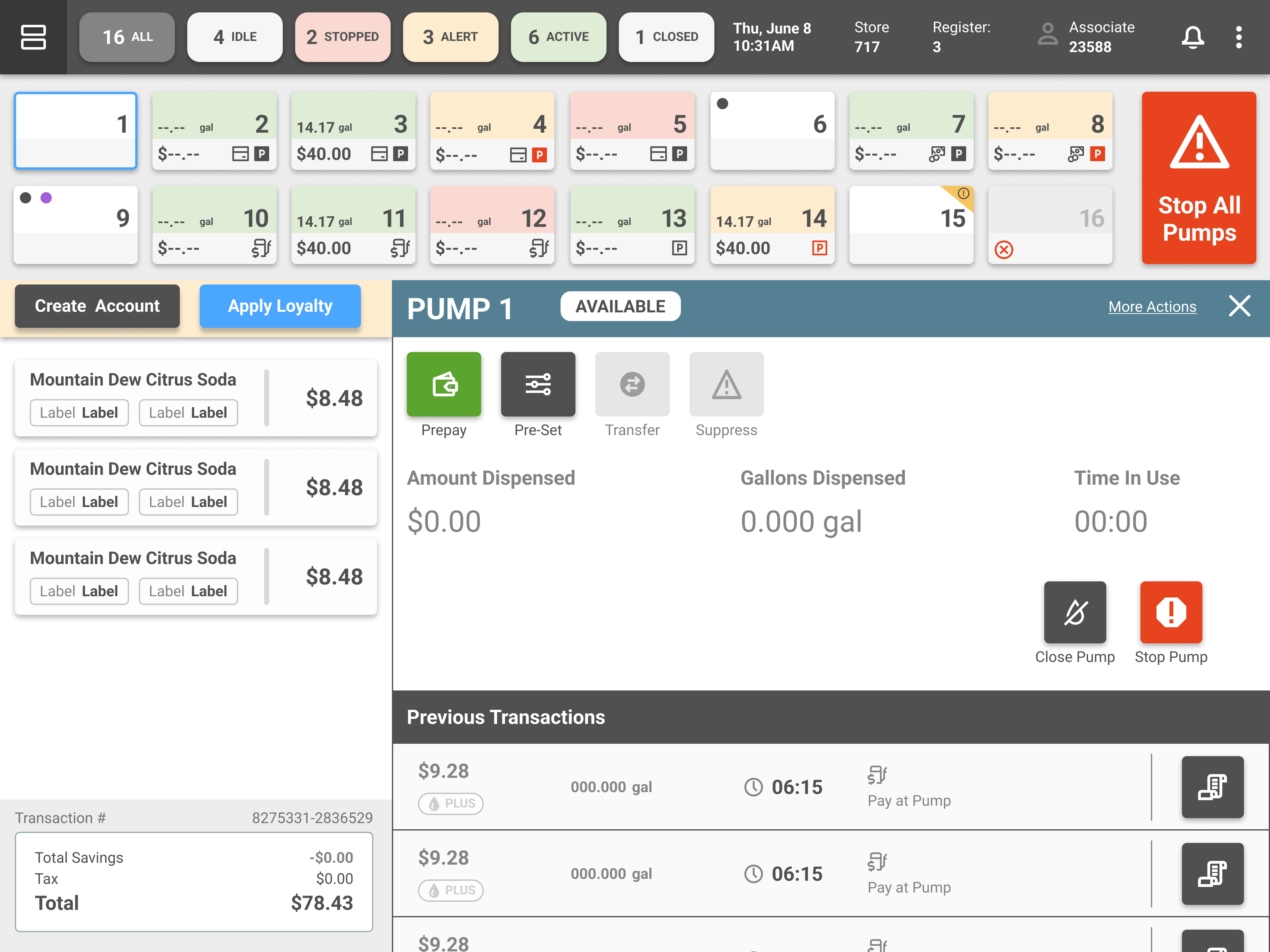
I redesigned the pump grid with color-coded status indicators. Green for active, yellow for alert, red for stopped, neutral for idle. Each pump card now shows gallons, dollar amount, and fuel type right on the surface. No tapping in just to see basic info.
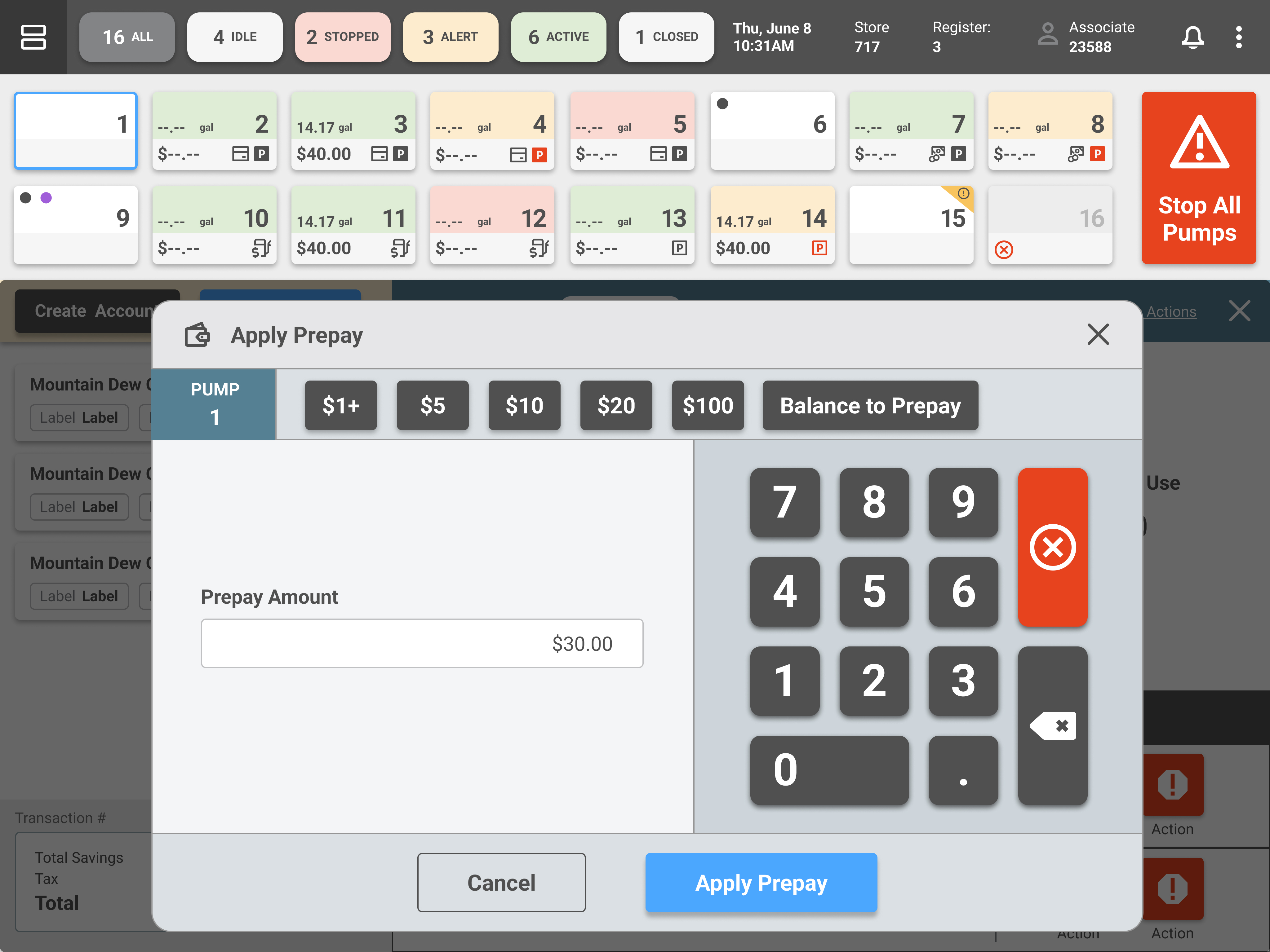
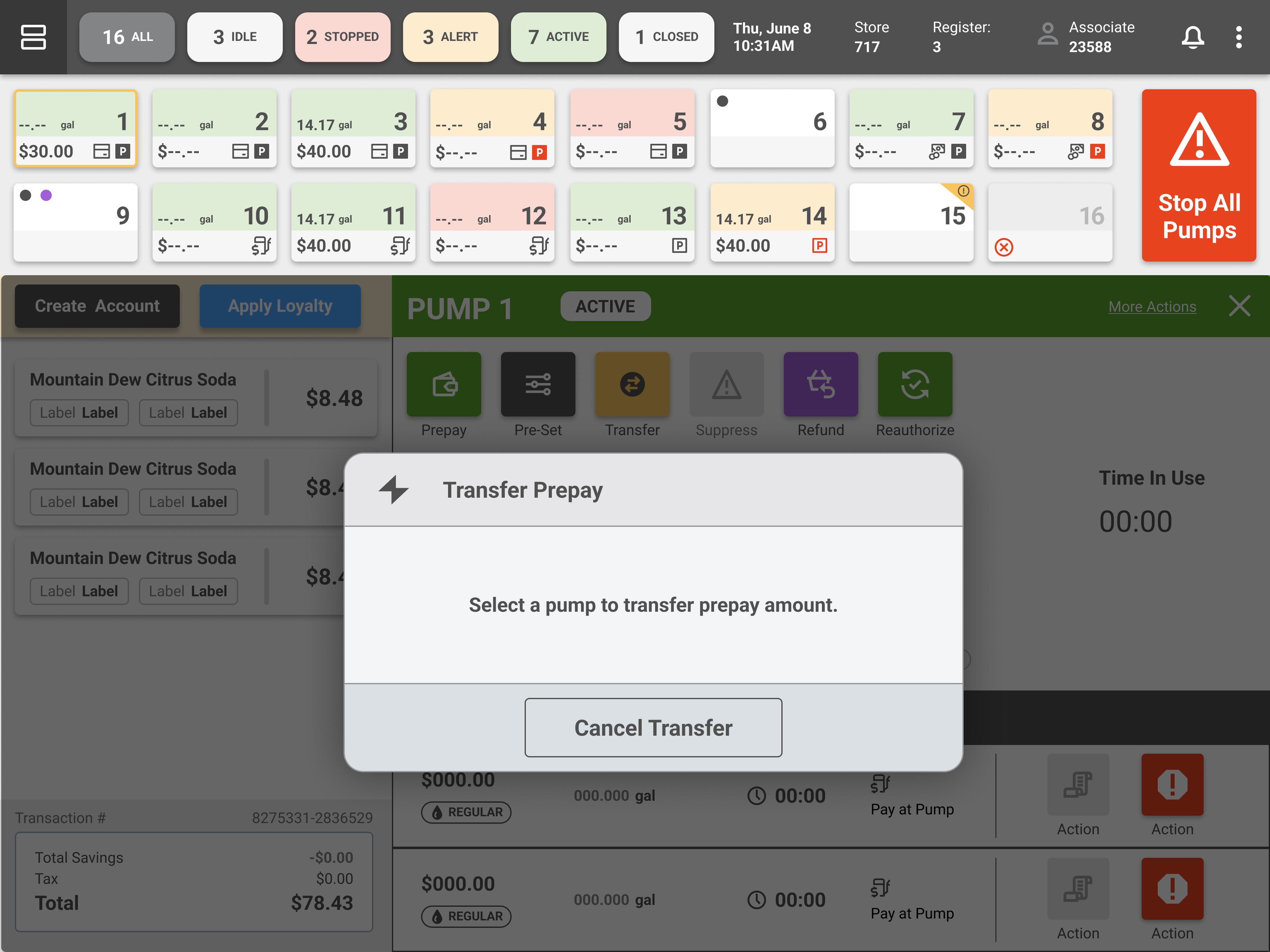
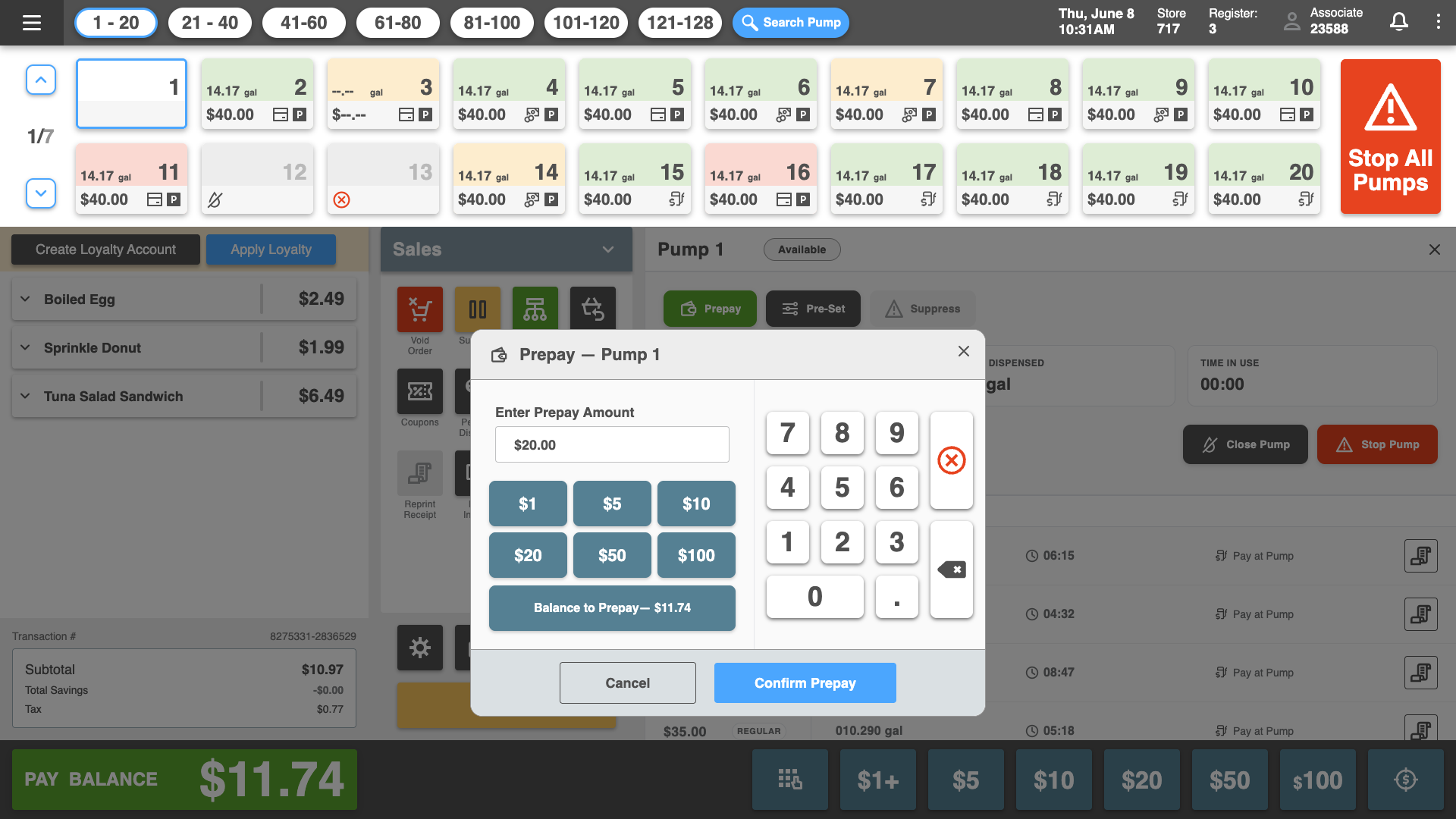
Prepay was the number one priority. Customers paying for fuel at the register is one of the most common transactions, but the old flow needed 6+ taps and required the cashier to mentally track which pump the customer was parked at. That's a lot of room for error when there's a line out the door.
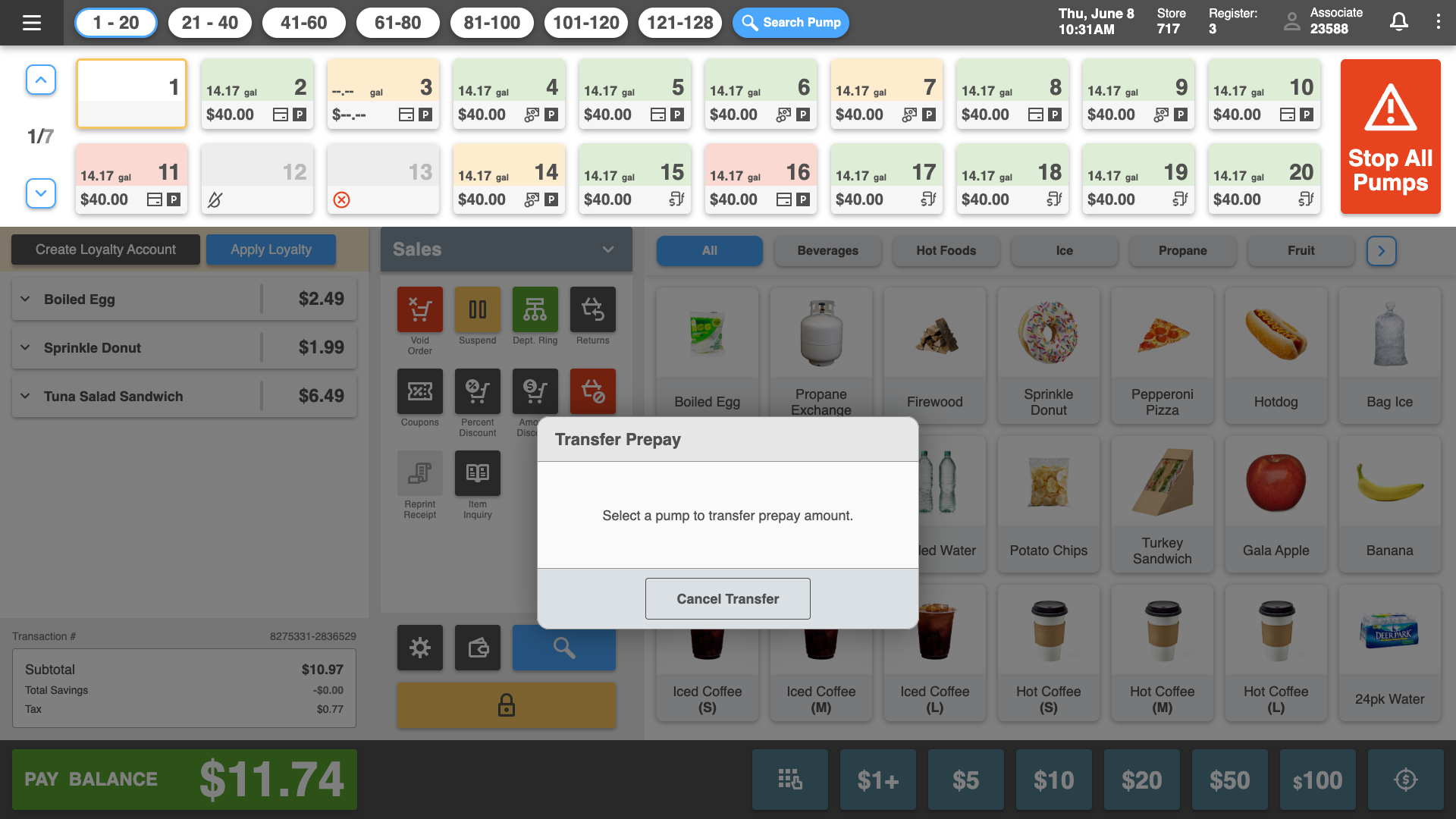
Here's what the redesigned prepay flow includes:
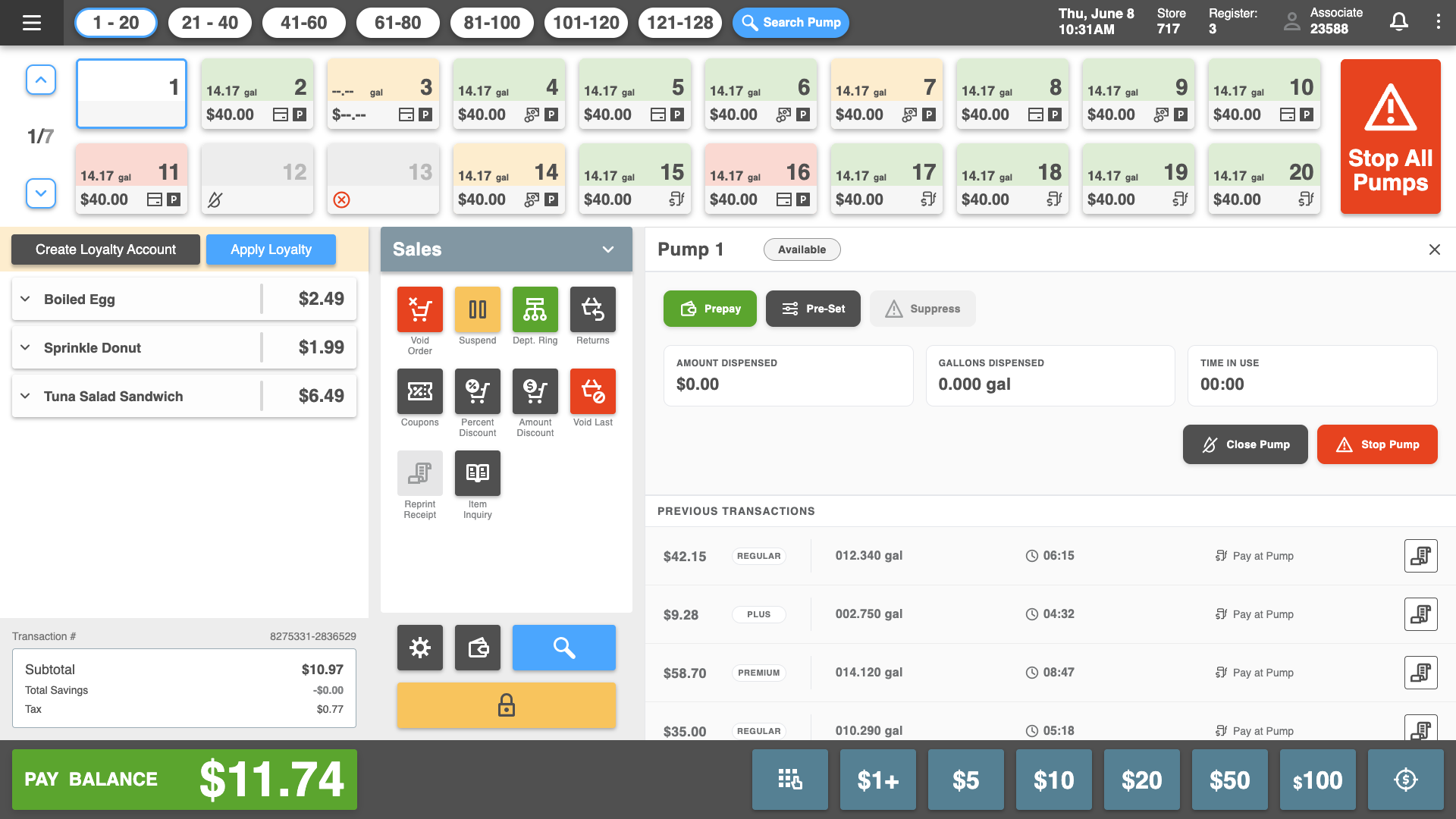
I also redesigned the pump detail view. It now shows transaction history, active pump controls (Prepay, Pre-Set, Transfer, Suppress, Refund, Reauthorize), and real-time dispensing data without pulling the cashier away from the main screen.
This project was where I really leaned into AI as a design tool. Most of the Fuel POS work was done using Claude Code and Figma Make AI, and it changed how fast I could move through the entire process.
Personas: I used AI to help generate and refine our user personas. I fed in what we knew from stakeholder interviews and existing research, and used Claude to draft detailed persona profiles. It gave me a strong starting point that I could validate and adjust with the team instead of spending days writing personas from scratch.
Affinity Mapping: After gathering research inputs, I used AI to help cluster and organize themes from user feedback and stakeholder conversations. It surfaced patterns I might have missed and helped me move from raw notes to structured insights faster than doing it manually on a whiteboard.
A/B Testing: I used AI to help frame our A/B test hypotheses, define success metrics, and structure the test plans. When results came in, it helped me analyze the data and pull out the key takeaways without getting lost in spreadsheets.
Prototyping: Figma Make AI accelerated the prototyping phase. I could describe interactions and layout ideas and get working concepts to iterate on quickly. Claude Code helped me build out the interactive prototype that we used for customer demos. The combination of both tools meant I was producing polished, testable work at a pace that would normally require a bigger team.
AI didn't replace the design thinking. It removed the busywork so I could spend more time on the decisions that actually mattered.
Internal testing and customer demos validated the redesign across the board:
We shared the redesigned Fuel POS experience with potential customers, and it directly contributed to signing a major US gas station chain. The designs sold the vision. Seeing a polished, interactive prototype made the product feel real and ready, and that's what closed the deal.